← Guides and reviews / Tech
Buying guide / Tech
PiSugar S vs S Plus: Choose the Right Raspberry Pi Battery Backup
PiSugar S and S Plus compatibility, battery-status limitations and why backup power should not be confused with automatic safe shutdown.
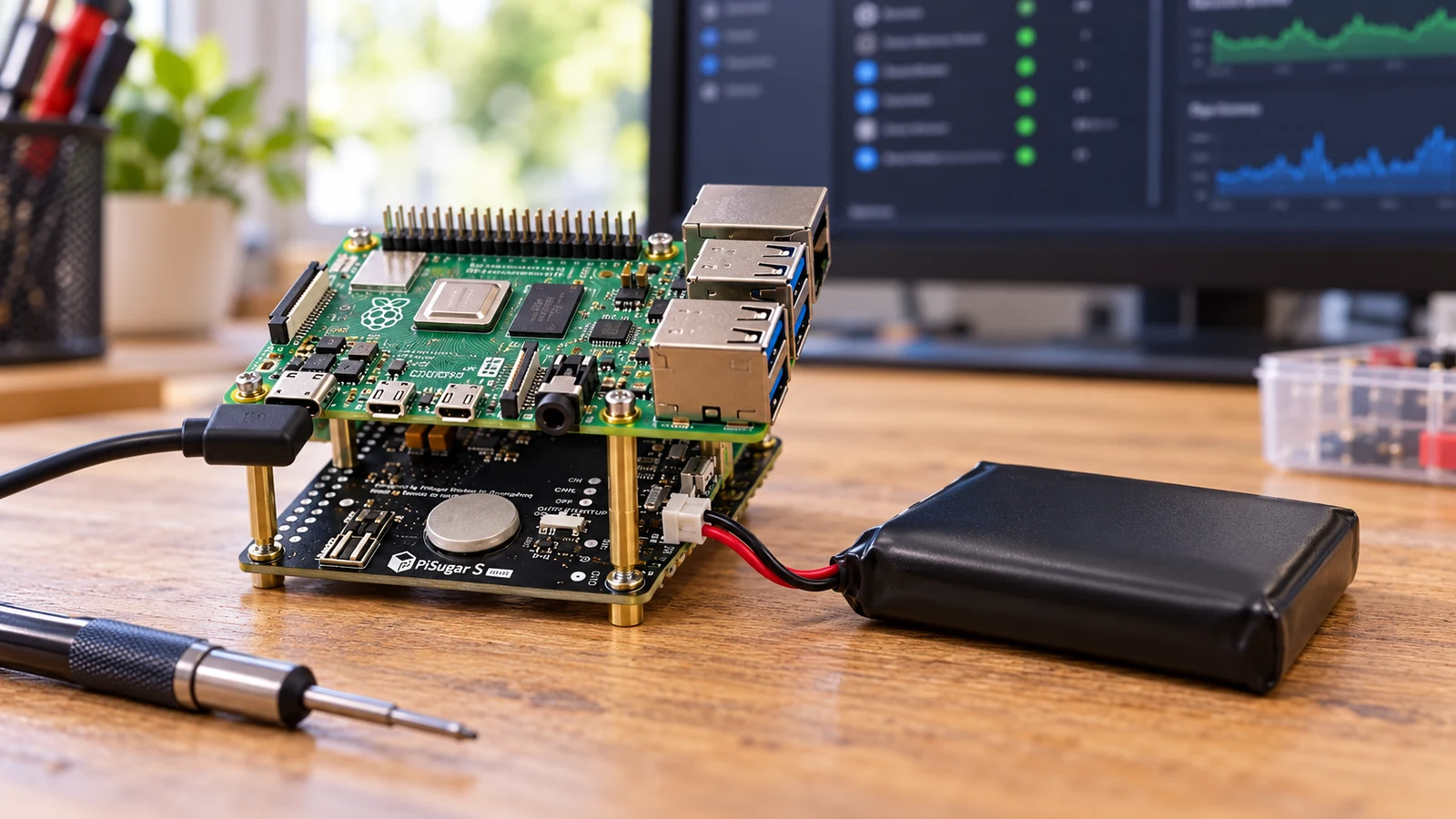
AI-generated illustration based on product reference imagery. Follow PiSugar's installation diagrams for the actual board and wiring.
A Raspberry Pi running a small home project can be easy to forget until the power blinks. A PiSugar battery board offers a compact way to add backup power, but the S family has an important limitation: it is basic power hardware, not a complete monitored shutdown system.
That distinction should guide the purchase. Keeping a board powered briefly and shutting Linux down cleanly before the battery runs out are separate jobs.
Match the board, not just the product name
PiSugar’s official documentation gives these S-series specifications:
| Model | Supported board family | Rated battery capacity | Maximum output |
|---|---|---|---|
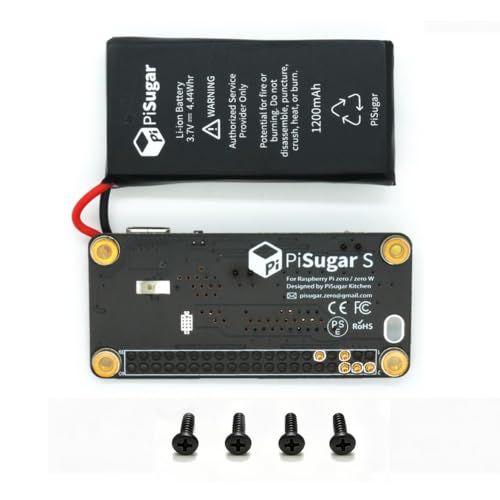
| PiSugar S | Raspberry Pi Zero family, including Zero 2 W | 1200mAh | 5V, 2.5A |
| PiSugar S Plus | Listed full-size models through Pi 4B | 5000mAh | 5V, 3A |
The manufacturer explicitly marks Raspberry Pi 5 as unsupported by the S Plus and points buyers toward PiSugar 3 Plus. Check its current compatibility table for your exact board before choosing a unit. A larger battery does not make every model compatible.
Check PiSugar S for a Zero-family project
Check PiSugar S Plus for a supported full-size Pi
The shutdown claim deserves special attention
The S-series documentation says these models do not support data communication and directs buyers who need battery-status information to the PiSugar 2 or 3 series. That is an important constraint for unattended projects.
A promotional brief we inspected described automatic safe shutdown. We would not rely on that claim for an S-series purchase without a documented implementation that explains how the system detects the relevant battery condition and initiates shutdown. An automatic startup function is not the same thing as graceful shutdown.
For a project that writes important data, decide how it will behave through the entire outage: wall power fails, the battery gets low, the system stops, and power later returns. A short successful switchover test checks only the first step.
Plan for your peripherals too
Raspberry Pi recommends a 5V, 3A supply for the Pi 4 family in its getting-started documentation. That is a reminder to consider the whole setup, including attached USB devices, rather than looking only at the computer board.
Before buying, list what will be powered from the Pi. A display, storage device or other peripheral can change the power budget and runtime. We have not measured either battery board with your workload, so we would not promise a fixed number of hours from the advertised capacity alone.
Follow the manufacturer’s mounting instructions, power the hardware off during assembly and check enclosure clearance. Budget for a case that accommodates the added board and battery instead of assuming an existing Pi case will fit.
When the S series makes sense
Consider it for a compatible hobby project when basic backup power is the requirement and you understand the monitoring limits. Test with a noncritical setup before depending on it for a service you need every day. Keep a separate backup of project configuration and important data.
If battery telemetry and controlled unattended shutdown are must-haves, start with a model that explicitly supports those functions. If your real goal is keeping the router and modem alive, a low-voltage networking UPS may fit the job more directly.
Explore the computing and backup-power collection for all eight guides.
The products
 −7%
PiSugar S Pwnagotchi Power Management Board for Raspberry Pi Zero 2 W Model | Mini UPS Hat & Battery Pack for Pi Zero W, Solder-Free Pogo Pins, Auto Boot, 40 GPIO Pins Free, Handheld Unattended Builds
$27.99$29.99Save 7%
In Stock
Checked . Prices and availability may change; Amazon confirms both at checkout.
See the current price and availability on Amazon.
As an Amazon Associate I earn from qualifying purchases.

PiSugar S Plus 5000mAh UPS for Raspberry Pi 4B/3B/3B+/2B | 0ms power switch, prevents SD corruption, 4-6h Pi4 backup, perfect for Pwnagotchi, Pi-hole & portable projects
$35.99
Only 5 left in stock - order soon.
Checked . Prices and availability may change; Amazon confirms both at checkout.
See the current price and availability on Amazon.
As an Amazon Associate I earn from qualifying purchases.
Each product shows when its price and availability were checked. Confirm the current offer on Amazon before buying.
Sources
Free weekly email
Get the Shop Llama Deal Drop
Fresh markdowns we spotted, straight to your inbox.
Fresh deals will land in your inbox soon.
Keep reading
 Buying guide
Buying a Dell or HP Desktop from a Third-Party Seller: What to Check
A desktop buying checklist for marketplace listings: exact configuration, seller upgrades, warranty ownership, graphics and the real cost of an all-in-one.
Read the guide → Buying guide
KAIGERR Ryzen Laptops: Read the Configuration Before the Discount
A practical look at KAIGERR Ryzen 5 and Ryzen 7 laptop listings, with the screen, charging, support and gaming questions to settle before checkout.
Read the guide → Buying guide
KAMRUI E3B vs H2: Pick the Right Mini PC Configuration
Three KAMRUI configurations for a home office or Linux desk, with the processor, memory and compatibility checks that matter before you buy.
Read the guide → Buying guide
KAMRUI Hyper H1 1TB: A Small Living-Room PC with Gaming Limits
Where the Ryzen 7 7735HS Hyper H1 fits: a compact TV or desk PC, with a realistic look at integrated graphics, memory and setup.
Read the guide →