← Guides and reviews / Tech
Buying guide / Tech
Buying a Dell or HP Desktop from a Third-Party Seller: What to Check
A desktop buying checklist for marketplace listings: exact configuration, seller upgrades, warranty ownership, graphics and the real cost of an all-in-one.
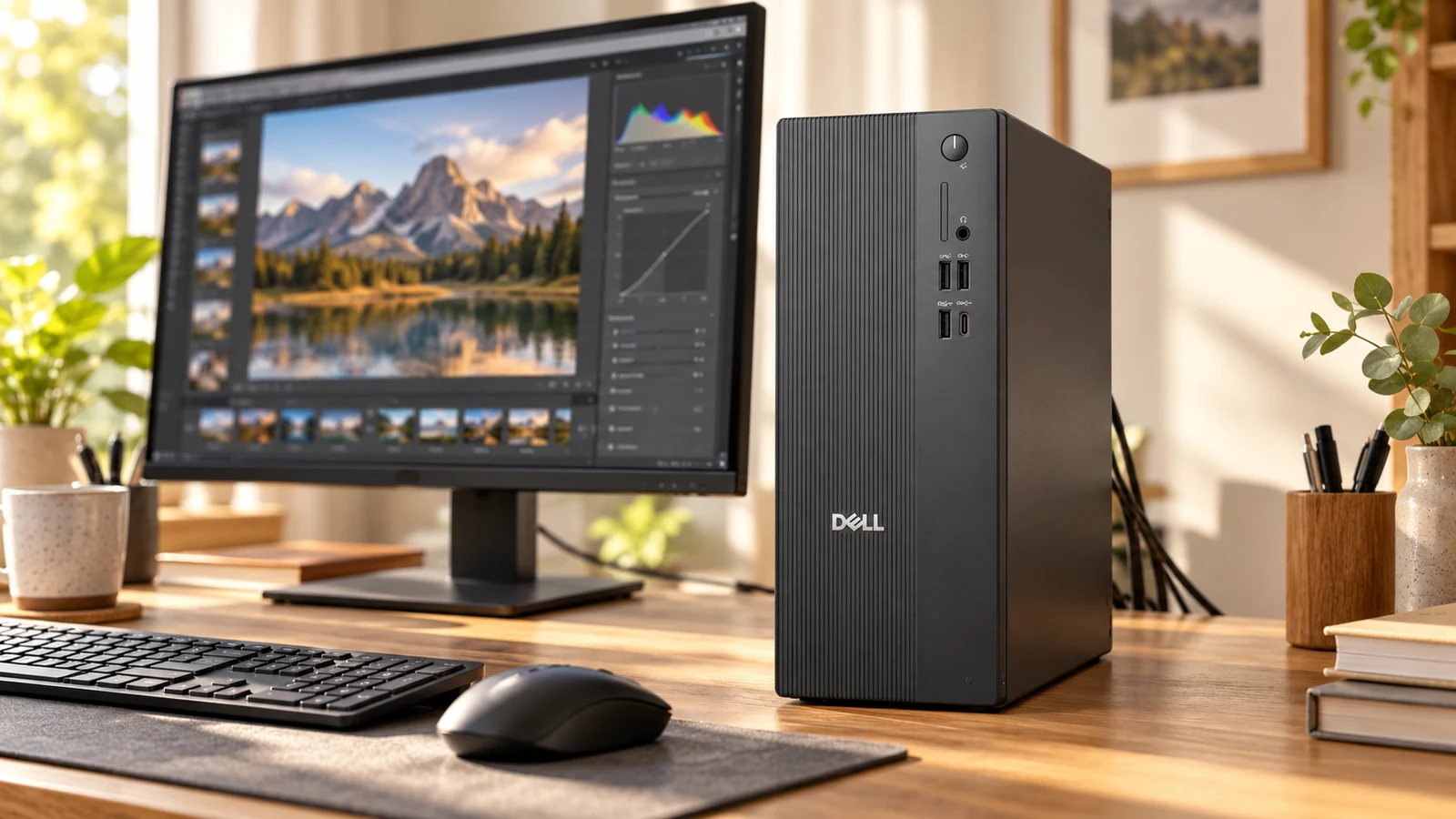
AI-generated illustration based on product reference imagery. The workstation is illustrative; verify the seller's exact included equipment.
A familiar computer brand does not tell you who is selling the machine, who upgraded it or who will answer a warranty claim. Marketplace listings can be perfectly reasonable purchases, but they need a different checklist from an order configured directly with the manufacturer.
We examined a third-party Dell ECT1250 tower listing and found the same questions relevant to HP and Dell all-in-ones: which exact configuration arrives, what the seller changed and what support follows the sale. This guide is a way to assess those offers, not an endorsement of every listing using those brand names.
Separate the manufacturer from the seller
Write down the seller name, condition and return terms alongside the brand and model. “Ships from Amazon” and “sold by” answer different questions. Save the selected specification and order details so there is a clear record if the delivered configuration differs.
Ask whether RAM, storage or the operating system were changed after the computer left the manufacturer. An upgraded machine is not automatically a bad purchase, but you need to know who supports those changes and whether the seller’s description matches the manufacturer’s original configuration.
Use the model number to check the hardware
The example listing, B0HKRQ7T44, advertises a Dell ECT1250 tower with a Core Ultra 7 265F, RTX 5060 graphics, 32GB RAM and a 1TB SSD. Dell’s ECT1250 specification sheet lists the 265F as a supported processor option. That corroborates the product family; it does not verify every component fitted by this seller.
Check the graphics card, power supply, memory arrangement, available storage connections and physical ports. If a claim matters to your purchase, get confirmation for the exact machine. Do not assume the highest capacity mentioned somewhere on a family page is the configuration in your cart.
Inspect the Dell tower listing and seller on Amazon
Confirm warranty coverage before relying on it
Dell distinguishes retail registration from ownership transfer for third-party purchases. Its guidance describes the information needed to transfer remaining coverage where applicable. A seller’s “one-year warranty” statement should therefore lead to a follow-up: manufacturer coverage, seller coverage, or both?
For HP, use its official warranty checker with the serial number and purchase region when available. Ask the seller how a discrepancy in the recorded start date will be resolved and keep proof of purchase.
Neither a confident listing description nor a brand logo is a substitute for a support arrangement you can actually use. For a business computer, decide who you would contact if it stopped booting the week you bought it.
Tower or all-in-one?
A tower lets you choose and retain a separate monitor. An all-in-one can simplify the desk, but evaluate its screen as carefully as the computer inside. Confirm resolution, touch support if wanted, panel characteristics and whether it accepts an external video input if you hope to reuse it as a monitor later.
For either design, price the complete setup. A tower listing may show a display that is not included. An all-in-one may save the monitor purchase but still need an external drive, a better webcam or accessories for your desk.
Our recommendation
The Dell example had very little customer-review history when checked on October 27, 2026. We would require clear seller and warranty answers before treating it as a recommendation. For HP all-in-ones, apply the same checklist to a specific part number rather than a broad family name.
Buy when the complete specification, support and final price compare well with a direct-manufacturer alternative. If you do not need a discrete graphics card or internal expansion, compare the smaller E3B and H2 options before giving a full tower space under your desk.
Explore the computing and backup-power collection for all eight guides.
The product
 −5%
Dell Tower Desktop Computer 2026, RTX 5060 8GB GDDR7, 32GB RAM, 1TB SSD | NVIDIA GeForce RTX 5060 8GB GDDR7, WiFi 6, Windows 11 Pro, Wired Keyboard & Mouse, Gaming&Content Creation PC, ECT1250
$1,799.99$1,899.99Save 5%
In Stock
Checked . Prices and availability may change; Amazon confirms both at checkout.
See the current price and availability on Amazon.
As an Amazon Associate I earn from qualifying purchases.
Each product shows when its price and availability were checked. Confirm the current offer on Amazon before buying.
Sources
Free weekly email
Get the Shop Llama Deal Drop
Fresh markdowns we spotted, straight to your inbox.
Fresh deals will land in your inbox soon.
Keep reading
 Buying guide
KAIGERR Ryzen Laptops: Read the Configuration Before the Discount
A practical look at KAIGERR Ryzen 5 and Ryzen 7 laptop listings, with the screen, charging, support and gaming questions to settle before checkout.
Read the guide → Buying guide
KAMRUI E3B vs H2: Pick the Right Mini PC Configuration
Three KAMRUI configurations for a home office or Linux desk, with the processor, memory and compatibility checks that matter before you buy.
Read the guide → Buying guide
KAMRUI Hyper H1 1TB: A Small Living-Room PC with Gaming Limits
Where the Ryzen 7 7735HS Hyper H1 fits: a compact TV or desk PC, with a realistic look at integrated graphics, memory and setup.
Read the guide → Buying guide
ORICO 140W GaN Charger: Can One Plug Replace Your Laptop Brick?
What to check before replacing a laptop adapter with ORICO's three-port charger: USB-C input support, cable rating and power sharing.
Read the guide →