← Guides and reviews / Tech
Buying guide / Tech
ORICO 140W GaN Charger: Can One Plug Replace Your Laptop Brick?
What to check before replacing a laptop adapter with ORICO's three-port charger: USB-C input support, cable rating and power sharing.
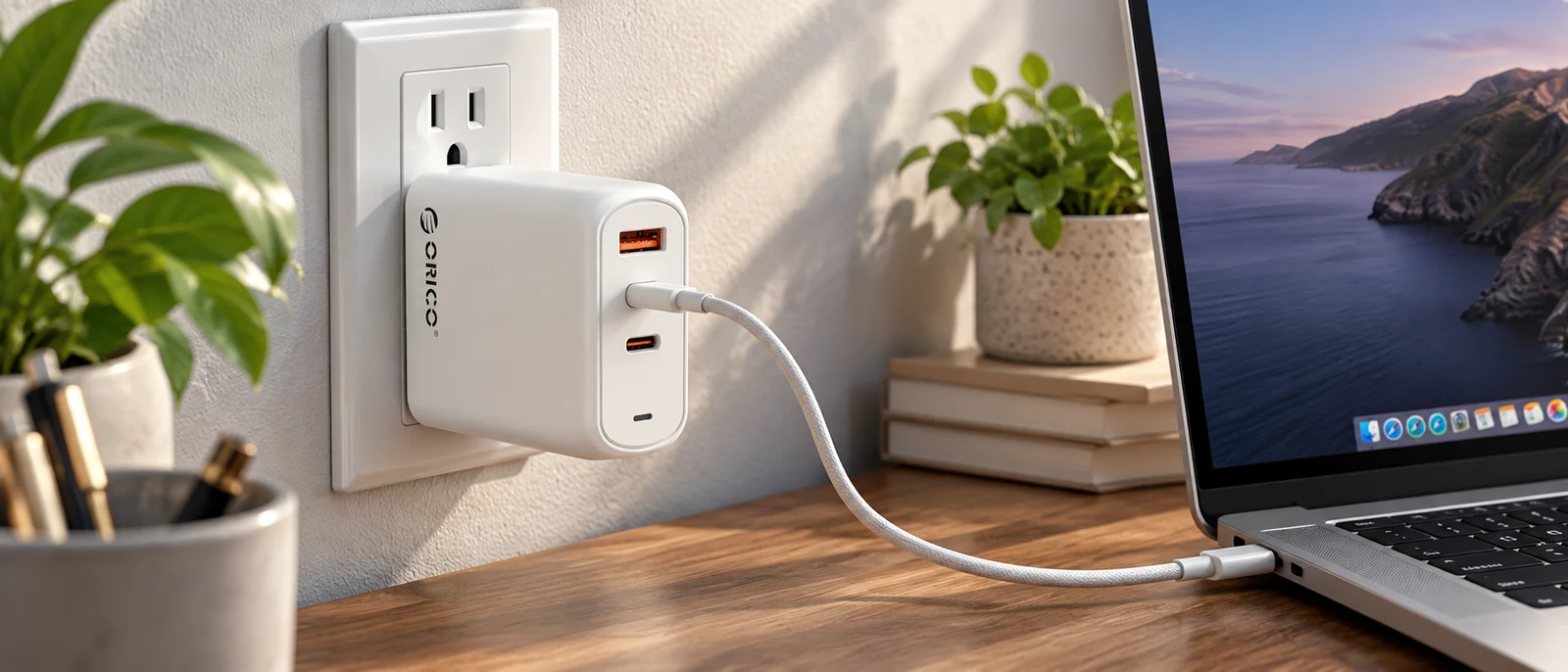
AI-generated product-in-use illustration. Confirm charging compatibility and cable requirements for your own laptop.
A small charger that handles a laptop and phone can be an appealing travel upgrade. ORICO’s 140W GaN model has two USB-C ports, one USB-A port and a foldable plug. The useful question is how much power your devices can actually draw from the connections you will use.
The headline number is not a promise of 140W from every port at the same time. The product brief describes that maximum for single-port USB-C use. Before replacing your original laptop brick, check the charger, cable and laptop together.
First, confirm that the laptop accepts USB-C power
A USB-C-shaped port can serve different functions. Find an explicit statement in your laptop’s manual that it accepts USB-C charging, then check the supported input power and voltage requirements. Do not assume a data port can charge the battery.
This is especially important for a budget laptop whose listing only says “Type-C,” or a performance laptop supplied with a much larger proprietary adapter. Keep the original adapter available until the replacement has been verified with the machine under the workload you care about.
For the KAIGERR models in this series, we have not confirmed USB-C charging support. The presence of both products in a guide series is not a compatibility endorsement.
Check the ORICO charger specifications on Amazon
The cable is part of the power system
USB-IF documents 140W as one of the power levels enabled by USB Power Delivery’s Extended Power Range, using 28V. It also specifies power-capability markings for compliant USB-C cables. A cable that worked for charging a phone should not automatically be assumed suitable for a higher-power laptop setup.
For 140W USB-C charging, look for an appropriate EPR-capable cable, commonly sold with a 240W rating, and confirm the laptop and charger support the required profile. The rating on the cable establishes its capability; it does not force the laptop to consume that much power.
Check whether the charger includes such a cable. If it does not, include one in the comparison cost instead of treating the charger price as the whole purchase.
Read the multi-device power table
Before relying on one plug for several devices, find the manufacturer’s allocation table for this exact model. Look for the output with one USB-C port occupied, both USB-C ports occupied, and all three ports occupied.
We did not verify a complete port-sharing table from the available listing material. That is a question to resolve if you need a particular minimum for a laptop while a phone is also connected. Do not add the highest individual-port figures and treat the sum as simultaneous output.
Check the experience with your devices: does the laptop report its expected charging state, does connecting another device interrupt charging briefly, and does the battery continue to gain charge during your normal work? Those observations are more useful than an assumption based on the largest printed number.
What this guide does and does not establish
The physical configuration and advertised maximum make the ORICO worth comparing as a compact shared charger. We have not measured its sustained output, temperatures or charging speed, and we have not independently verified the certification claims in the promotional brief.
Buy it when the documented input and output profiles match your equipment and the multi-port allocation works for your routine. If the seller cannot answer those questions, choose a charger with a clearer specification. A simpler bag is helpful only when the replacement power supply does the job reliably.
Explore the computing and backup-power collection for all eight guides.
The product

140W Charging Block, Foldable Plug Power Adapter Charger for Multi Devices | 1 USB A & 2 USB C Ports, Dual Voltage, Up to 140W Fast Charging with Indicator Light for Laptop, Smartphone, Tablet, etc
$44.99
In Stock
Checked . Prices and availability may change; Amazon confirms both at checkout.
See the current price and availability on Amazon.
As an Amazon Associate I earn from qualifying purchases.
Each product shows when its price and availability were checked. Confirm the current offer on Amazon before buying.
Sources
Free weekly email
Get the Shop Llama Deal Drop
Fresh markdowns we spotted, straight to your inbox.
Fresh deals will land in your inbox soon.
Keep reading
 Buying guide
Buying a Dell or HP Desktop from a Third-Party Seller: What to Check
A desktop buying checklist for marketplace listings: exact configuration, seller upgrades, warranty ownership, graphics and the real cost of an all-in-one.
Read the guide → Buying guide
KAIGERR Ryzen Laptops: Read the Configuration Before the Discount
A practical look at KAIGERR Ryzen 5 and Ryzen 7 laptop listings, with the screen, charging, support and gaming questions to settle before checkout.
Read the guide → Buying guide
KAMRUI E3B vs H2: Pick the Right Mini PC Configuration
Three KAMRUI configurations for a home office or Linux desk, with the processor, memory and compatibility checks that matter before you buy.
Read the guide → Buying guide
KAMRUI Hyper H1 1TB: A Small Living-Room PC with Gaming Limits
Where the Ryzen 7 7735HS Hyper H1 fits: a compact TV or desk PC, with a realistic look at integrated graphics, memory and setup.
Read the guide →