← Guides and reviews / Power
Buying guide / Power
Shanqiu Mini UPS: Backup Power for Your Router, Not Your Desktop
How to assess Shanqiu's 37Wh and 74Wh mini UPS units for routers and modems, including voltage, connector, runtime and internet-service limits.
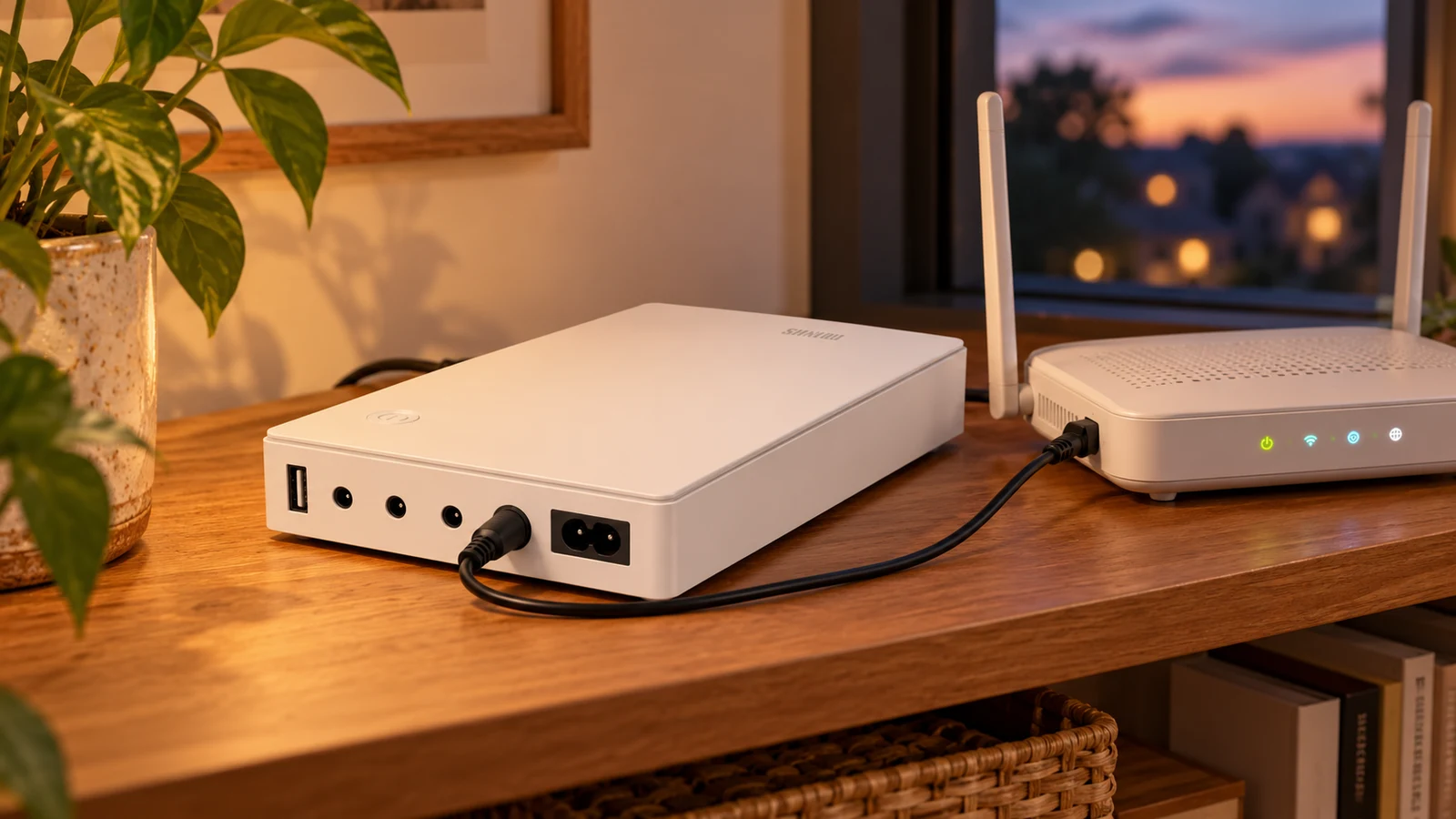
AI-generated illustration based on product reference imagery. Wiring is illustrative; use the voltage, polarity and connectors specified for your equipment.
Keeping a router alive during a short outage is a different job from keeping a desktop computer running. Shanqiu’s mini UPS units target the first job: supplying low-voltage devices such as routers, modems and compatible cameras.
The distinction is easy to miss in a search result. These units advertise AC input and low-voltage USB/DC outputs. AC input means the UPS can charge from a wall outlet. It does not mean it supplies household AC outlets for a tower computer or monitor.
What the two listings offer
The 74Wh matte-white listing and the smaller 37Wh listing both describe USB 5V and DC 5V, 9V and 12V outputs. Their capacity and output-current limits differ. Check the exact version, the limit for the port you will use and the combined output limit if connecting more than one device.
The larger capacity is worth comparing when the equipment and outputs match and you want more potential runtime. It is not automatically the right choice if your router needs a voltage, connector or power level the UPS cannot supply.
Check the Shanqiu 74Wh specifications on Amazon
Check the Shanqiu 37Wh specifications on Amazon
Match all four connection details
Read the label on your router’s existing adapter and the router’s input label. You need the required voltage, adequate current capacity, correct polarity and a physically correct connector. A barrel plug that fits is not enough evidence that the connection is suitable.
Do not substitute a higher voltage in the hope of getting more power. If the labels are missing or unclear, get the router maker’s specifications before connecting anything. For two devices, check their combined requirements against the UPS’s documented limits rather than adding up the most favorable individual-port figures.
Also check which cables and adapters are included. A unit that needs another connector or cannot power both your modem and router may be less convenient than it first appears.
Estimate runtime without promising it
Watt-hours are useful for comparing stored energy. As an arithmetic example, 74Wh divided by a constant 10W load gives 7.4 hours before accounting for losses and battery cutoff. That is an ideal calculation, not a tested runtime claim for this product. Real usable time will be shorter and will depend on the actual load and conditions.
The current rating printed on a router adapter is its supply capacity, not necessarily what the router consumes continuously. Measuring the equipment’s draw gives a more useful starting point than treating the adapter’s maximum as normal use.
Once installed according to the instructions, test a brief loss of wall power while you are present. Confirm that every required device stays on and that the connection recovers as expected. We have not independently verified Shanqiu’s switchover-time or protection claims.
Backup power cannot guarantee internet service
Your router may stay powered while service outside your home is down. A separate modem or optical-network terminal may also need backup, and the provider’s local infrastructure still has to function. Check the complete connection path before assuming this purchase keeps a work call online.
Keep the UPS on a ventilated surface and follow its supplied operating instructions. For a desktop and monitor, shop for a conventional AC-output UPS sized for their load. For a small Raspberry Pi project, our PiSugar guide covers a different style of backup power.
Who should consider it?
Someone who wants a compact backup for compatible low-power networking equipment and is willing to verify the connection details. It is a targeted convenience purchase. Choose it for the equipment it can actually supply, and measure the result in your own setup before relying on a runtime estimate.
Explore the computing and backup-power collection for all eight guides.
The products
 −20%
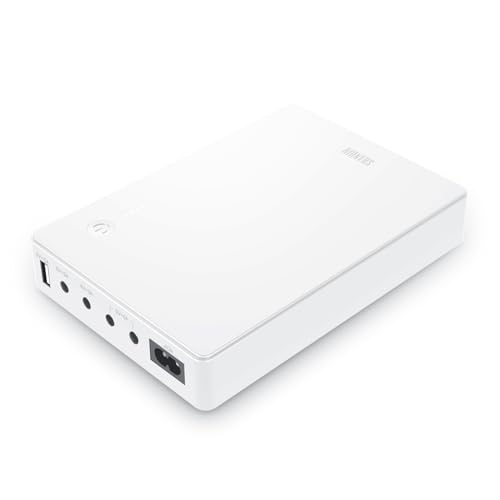
Mini UPS Battery Backup for Router, Modem, Security Camera | Small Uninterruptible Power Supply with Input AC Output USB 5V DC 5V 9V 12V 3A 5A (74Wh Matte White)
$67.99$84.99Save 20%
In Stock
Checked . Prices and availability may change; Amazon confirms both at checkout.
See the current price and availability on Amazon.
As an Amazon Associate I earn from qualifying purchases.
Shanqiu mini UPS, 37Wh
See the current price and availability on Amazon.
As an Amazon Associate I earn from qualifying purchases.
Each product shows when its price and availability were checked. Confirm the current offer on Amazon before buying.
Sources
Free weekly email
Get the Shop Llama Deal Drop
Fresh markdowns we spotted, straight to your inbox.
Fresh deals will land in your inbox soon.
Keep reading
Portable Power Stations Compared: Anker SOLIX S2000 vs Jackery Explorer 1000 v2
The published testing on the two best-reviewed LiFePO4 power stations, side by side: capacity, charge speed, output limits and weight, and which buyer each one fits.
Read the comparison → Review roundupAnker SOLIX S2000: What Reviewers Say About the Compact 2kWh Backup Battery
The published consensus on Anker's SOLIX S2000 power station: 2,010Wh in the smallest package in its class, measured efficiency wins, honest solar and wattage caveats. Every source cited.
Read the roundup → Review roundupJackery Explorer 1000 v2: What Reviewers Say About the 1-Hour-Charge Power Station
The published consensus on Jackery's Explorer 1000 v2: LiFePO4 longevity, a genuine 1-hour fast charge, honest surge-limit caveats. Every source cited.
Read the roundup → Buying guide
ACEMAGIC FOCUX AI Mini PCs: Intel, AMD and the Questions to Ask
FOCUX Intel and AMD configurations explained, including what TOPS numbers leave out and what to verify before buying a mini PC for local AI.
Read the guide →